How lpm is organized
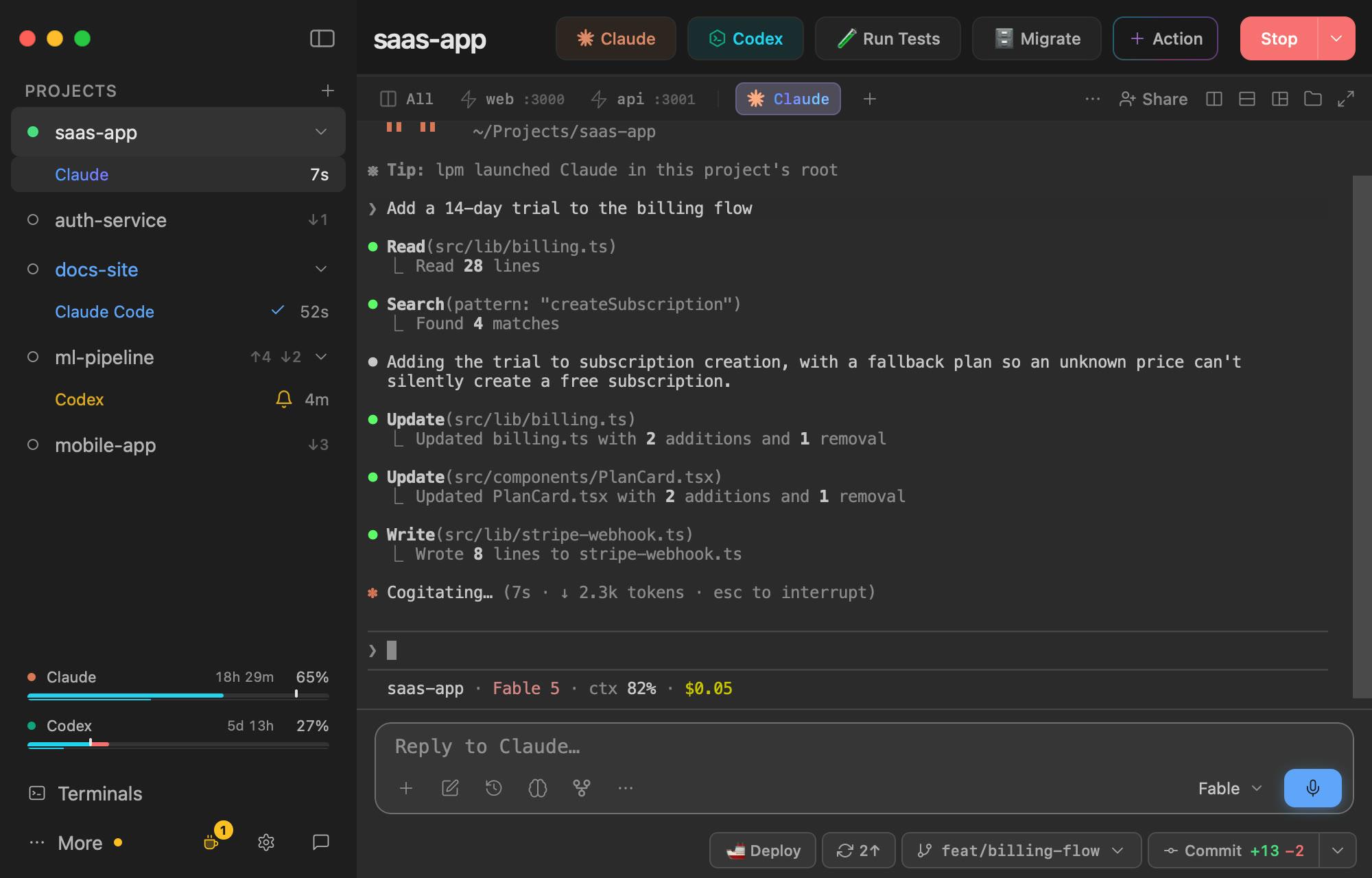
Project
A folder of code with its services, buttons and terminals. Each one is a row in the sidebar.
Service
A command that keeps running, such as a dev server. Start boots a project's services together, each in a tab of its own.
Action
A command that runs once, as a button: tests, migrations, deploys.
Terminal
A tab that stays open: Claude Code, Codex, or a plain shell.
Agent status
Working, Needs you, Done or Problem, shown on the agent's tab and under its project in the sidebar.
Copy and worktree
A second folder of the same project, so each agent edits its own files. Copies sit under their original in the sidebar; none are open in this picture.
Profile
A named set of services, such as backend only. Pick one from the menu next to Start.
Automation
A prompt, command or action that runs on a schedule. Automations live under More.
To click around this same window without installing anything, open the demo in your browser.